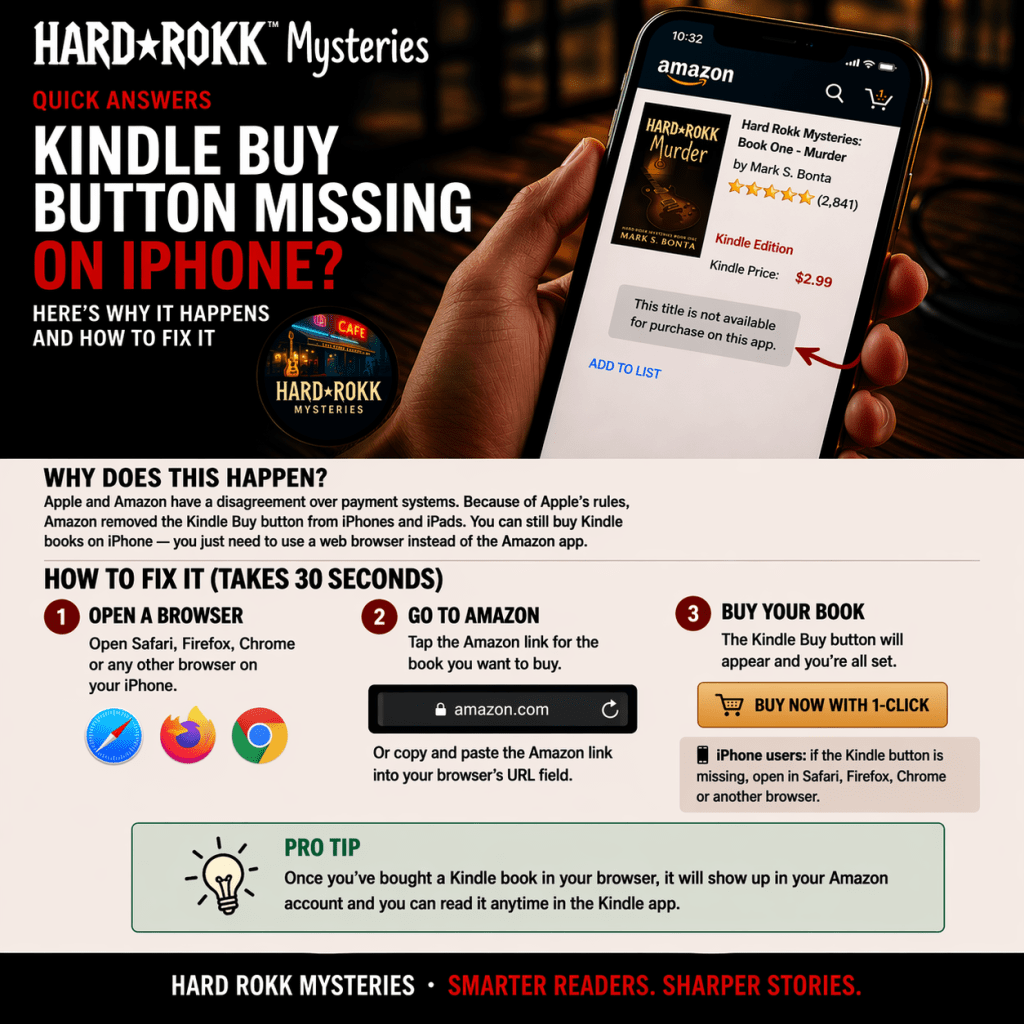
Why the Kindle Buy Button is Missing on iPhone and How to Fix It
By Mark S. Bonta
I discovered this completely by accident—and it made me wonder how many book sales it may have cost. My wife and I were out at a restaurant with some friends. She told me she had finished my first book and was trying to buy the second, but Amazon wouldn’t let her.
That didn’t make any sense.
She handed me her phone and showed me the Kindle listing. There was no way to buy it. No “Buy now.” No “Add to cart.” Nothing. I switched to the paperback and hardcover. Both had normal purchase buttons. But the Kindle version—the one she wanted—had no option to buy at all.
That’s when I started digging.
The Hidden Issue (For Readers and Authors)
This isn’t a glitch with the book or a problem with your listing. It’s a known behavior on iPhones—one many readers encounter and many authors don’t realize is happening.
When someone views a Kindle book on an iPhone—especially after clicking a link from apps like Amazon, Facebook, Instagram, or TikTok—the “Buy now” button may not appear at all. Those apps often open the page in their own viewer, or push it into the Amazon app, instead of a full web browser.
In those environments, Amazon removes the Kindle purchase option.
There’s no warning. No explanation. It simply isn’t there.
If you’re a reader, it looks like the book isn’t available.
If you’re an author, it means potential buyers may hit a dead end without you ever knowing.
What Readers Experience
Here’s what typically happens:
- You click a link to a book
- It opens inside an app or the Amazon app
- You see the Kindle version
- But there’s no way to buy it
Most people don’t troubleshoot. They assume something is wrong—or that the book isn’t available—and leave.
Why This Is So Confusing
The issue isn’t just that the button is missing. Nothing tells the user what’s wrong—or how to fix it. Everything looks normal except for one critical detail.
That’s why most people never figure it out.
Why This Happens
This comes down to how Apple handles in-app purchases.
Apple requires companies to give them a percentage of digital purchases made inside apps. Amazon chooses not to do that for Kindle books. Instead of allowing the purchase and paying Apple a cut, Amazon removes the ability to buy Kindle books within certain iPhone environments. From a business standpoint, that makes sense.
From a user standpoint, it creates confusion.
The Fix
The solution is simple: Open the Amazon page in a full web browser.
On iPhone, that usually means Safari—but Chrome or Firefox work as well. When the page is opened in a full browser, the Kindle “Buy now” button appears normally.
How to Do It
The steps aren’t always obvious, so here’s the method that works consistently:
- Tap the share icon
- Tap “Copy Link”
- Open Safari (or another browser)
- Paste the link into the browser
This avoids app limitations and shows the full Amazon page with the purchase option. If you’re not signed into Amazon in your browser, you may be prompted to log in—but once you do, checkout works like normal. If you’re unsure of your password, having your login information handy can help avoid frustration.
What Authors Should Do (Without Hurting Conversions)
If you share links on social media, this can quietly work against you. A reader clicks with intent to buy—but depending on how their iPhone opens the link, they may land on a version of the page where the Kindle button isn’t visible.
The problem isn’t the book—it’s the environment the link opens in.
So the goal isn’t to avoid Amazon. It’s to remove confusion at the moment it happens. A simple note in your posts can help:
📱 iPhone users: if the Kindle button is missing, open in Safari (or another browser)
That one line can save a lost sale.
A Quick Note About Website Links
Sending readers to your website first can help—but it’s not a perfect workaround.
If your site links to Amazon, iPhones may still open the Amazon app, recreating the same issue.
The key is clarity:
- Keep instructions near your buy buttons
- Remind iPhone users what to do if the button is missing
- Don’t assume the path is obvious
You’re not changing behavior—you’re helping people finish what they already intended to do.
Final Thoughts
This isn’t a problem with your book. It’s a gap between platforms that most readers don’t understand—and most authors don’t realize is happening.
If you’re a reader, now you know how to fix it. If you’re an author, a simple line of guidance can prevent lost sales you never knew were happening.
If you’re here looking for a story with a soundtrack, explore the Hard Rokk Mysteries series: http://HardRokkMysteries.com/store
 Hard Rokk Mysteries